
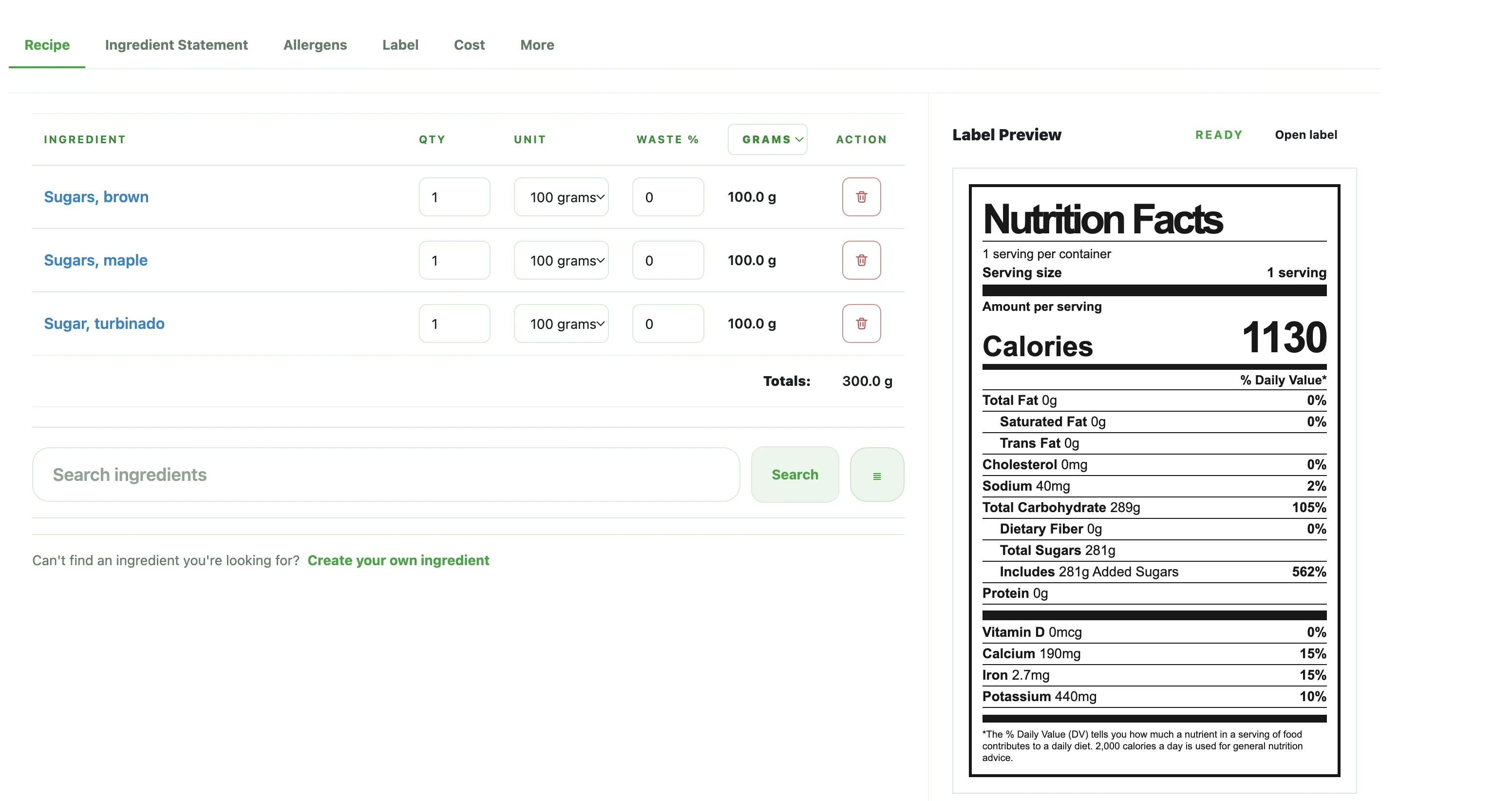
Key takeaway
Useful recipe nutrition work starts with stable ingredient, batch, and serving inputs, then converts those numbers into per-serving values that can be reviewed before label formatting begins.
Start with a complete recipe, batch yield, and serving plan
If you want to calculate nutrition from a recipe, start by confirming the actual ingredient list, usable quantities, total batch yield, and how the product will be served. Without those inputs, the math may look finished while the underlying review assumptions are still moving.
For small food teams, the most common problem is not the arithmetic itself. The real issue is starting the calculation before the recipe version, batch plan, or serving plan is stable enough to support a useful per-serving review.
- Confirm the full ingredient list for the active recipe version
- Confirm usable quantities instead of rough ingredient notes
- Confirm batch yield and expected serving logic before review begins
Convert batch nutrition into per-serving values
Batch-level nutrition is helpful internally, but most label and packaging review work depends on per-serving values. Once the full recipe is set, translate the batch totals into the serving-level numbers that will be used when the team reviews calories, fat, sugars, sodium, protein, and other nutrients.
This step is where serving assumptions matter most. If the serving size or servings per batch change, the per-serving values will move with them, which is why those inputs should be checked before anyone treats the numbers as final.
- Keep batch totals and per-serving values clearly separated
- Review calories and major nutrient rows after the serving logic is confirmed
- Treat serving changes as changes to the whole review set, not just one field
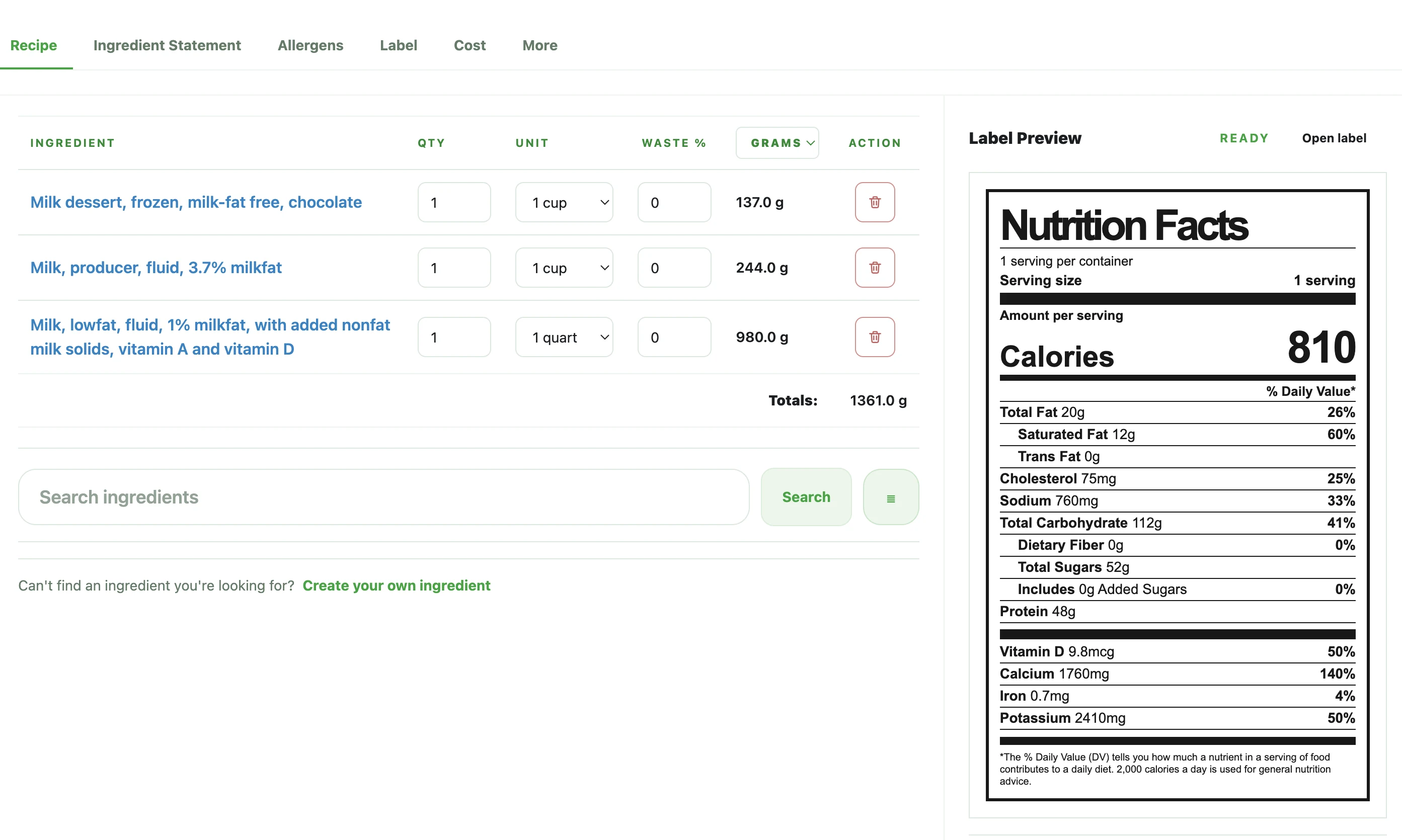
Context view
This overview helps explain the broader workflow before the article moves into recipe inputs, serving values, and label review.
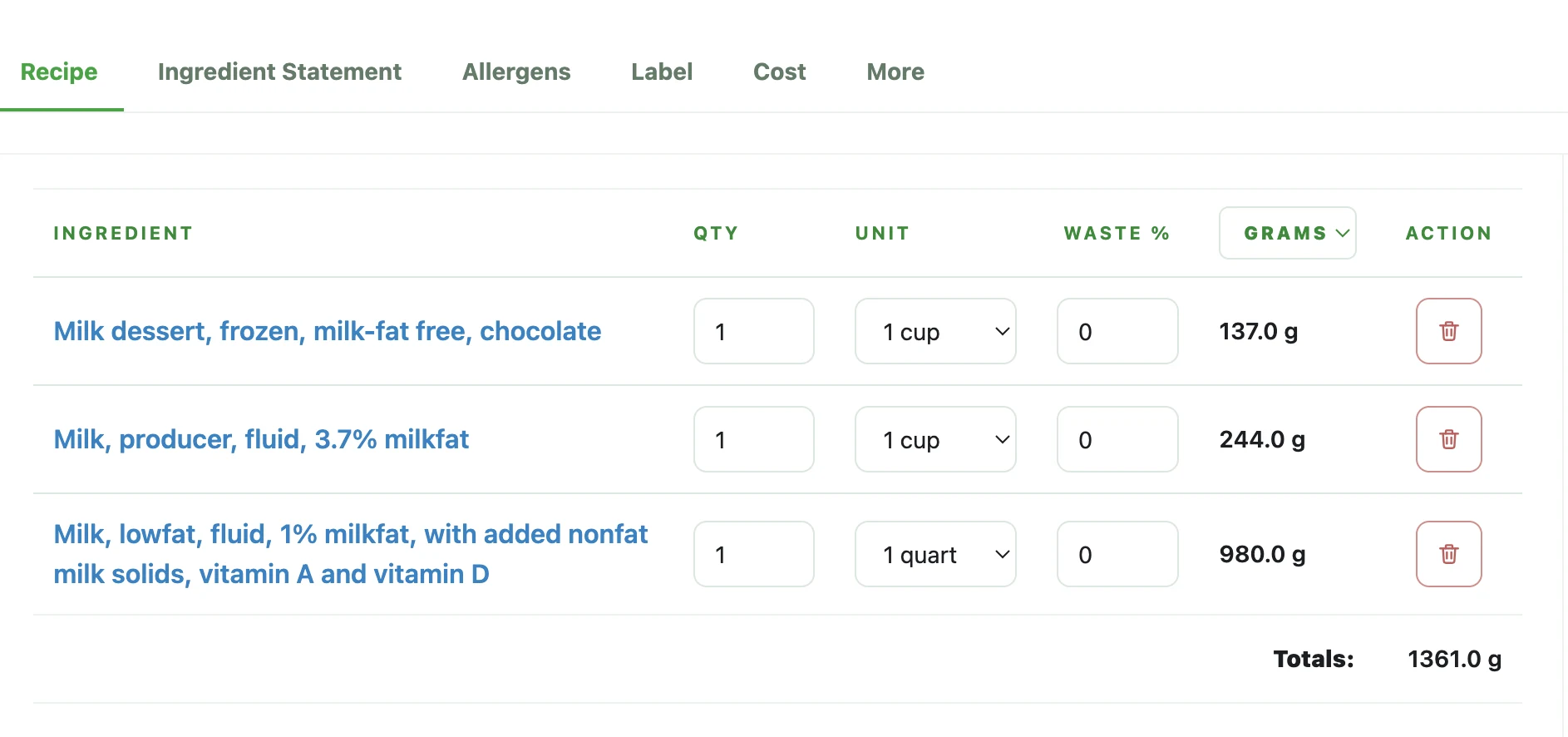
Focused crop: recipe inputs
This crop narrows the reader's attention to the recipe-side operational work: ingredient rows, quantity inputs, and totals that shape the final label.
Focused crop: label preview
This crop focuses on the panel side so the article can talk about review readiness, serving logic, and output quality without repeating the full-screen composition.
Review the numbers before formatting the label
After the recipe nutrition is calculated, pause before jumping into final label formatting. This is the point to review serving logic, look for values that no longer match the current recipe, and confirm that the numbers are stable enough for the Nutrition Facts panel workflow.
A polished preview is not a substitute for checking the underlying source values. It is better to catch serving or recipe issues here than to push unstable numbers deeper into the label review and packaging process.
- Review serving assumptions before visual formatting
- Check major nutrient values against the current recipe snapshot
- Move into label formatting only when the calculation inputs are stable enough for review
Move from recipe calculation into the label and packaging workflow
Recipe nutrition calculation is only one part of the workflow. Once the values are ready, the next step is to review the label preview together with ingredient statements, allergen details, and the rest of the packaging information that depends on the same recipe version.
The goal is not to end with an isolated table of numbers. The goal is to arrive at a review-ready set of serving values that can flow into the label and supporting statements without forcing the team to reconcile multiple conflicting versions later.
- Carry reviewed serving values into the label preview
- Keep ingredient and allergen statements close to the same recipe version
- Export only after the recipe math and surrounding packaging details are aligned
Common mistakes
- • Calculating nutrition before the recipe ingredients or quantities are stable
- • Using full-batch totals when the team actually needs per-serving review values
- • Changing serving assumptions late and forgetting that nearly every displayed value changes with them
Review checklist
- • The active recipe version is the one being used for nutrition review
- • Ingredient quantities are complete enough to support batch-level calculation
- • Batch yield, serving size, and servings per batch are aligned before per-serving review
- • Per-serving values are checked before the label preview is treated as export-ready
FAQ
Do I need a final recipe before calculating nutrition?
You need a recipe version that is stable enough for review. If the ingredient list, quantities, batch yield, or serving plan are still changing, the nutrition result may need to be recalculated.
Should I review batch nutrition or per-serving nutrition first?
Both matter, but per-serving values are usually what teams need for label review. Batch totals support the internal calculation, while serving-level values support the panel workflow.
Why does serving size change all the numbers?
Because the serving plan controls how the batch is divided. When the serving size or serving count changes, the per-serving nutrition values change with it.
Can I build the label before the recipe math is stable?
You can draft the preview, but the label should not be treated as review-ready if the recipe inputs or serving assumptions are still moving.
Related guides
How to Calculate Serving Size for Nutrition Labels
A practical FDA serving-size guide for turning a finished product, its category, and its real measurements into a review-ready label serving.
How to Choose a Nutrition Facts Label Format
A practical guide for comparing Nutrition Facts label formats before a food label moves into packaging review.
What Is a Net Quantity Statement? A Practical Guide for Food Labels
Net quantity is the amount of product in one retail package. Keep it separate from the serving plan, servings per container, and total recipe yield.
How to Make a Nutrition Facts Label
A step-by-step guide for small food brands learning how to make a nutrition label and turn recipe data into a Nutrition Facts label preview.
FDA Nutrition Label Requirements: What Small Food Brands Should Review
A practical review guide for understanding FDA-style Nutrition Facts label structure, nutrition label requirements, and common mistakes.
How to Write an Ingredient Statement
A practical guide for turning the active recipe into a review-ready ingredient statement that stays aligned with the label and surrounding packaging text.
How to Write an Allergen Statement
A practical guide for drafting an allergen statement that stays aligned with the current recipe, ingredient statement, and label review workflow.