
Key takeaway
A strong ingredient statement starts from the active recipe version and should be reviewed with the label panel, allergen details, and surrounding packaging copy rather than as an isolated line of text.
Start from the current recipe version
If you are writing an ingredient statement, begin with the recipe version your team is actually using right now. The statement should not come from an old packaging file, a previous spreadsheet, or a rough internal memory of what changed last month.
This matters because ingredient statements often drift out of sync when the recipe changes but the supporting packaging text is updated later or by a different person. Starting from the active recipe version reduces that risk.
- Use the current recipe version as the source of truth
- Confirm the full ingredient list before editing packaging wording
- Treat recipe changes as statement review triggers, not just formulation changes
Turn recipe ingredients into a review-ready statement
Once the recipe inputs are current, convert those ingredient rows into wording that is ready for packaging review. The goal here is not to create a throwaway draft. The goal is to build a statement your team can compare against the label panel, allergen details, and other packaging text without guessing which version is the latest.
This is also where naming consistency matters. If the recipe uses one internal shorthand while the package uses another name, reviewers can miss mismatches that only show up late in packaging work.
- Move from ingredient rows to one review-ready statement draft
- Use consistent naming instead of mixing internal shorthand and packaging wording
- Keep the statement close to the same recipe snapshot as the label review
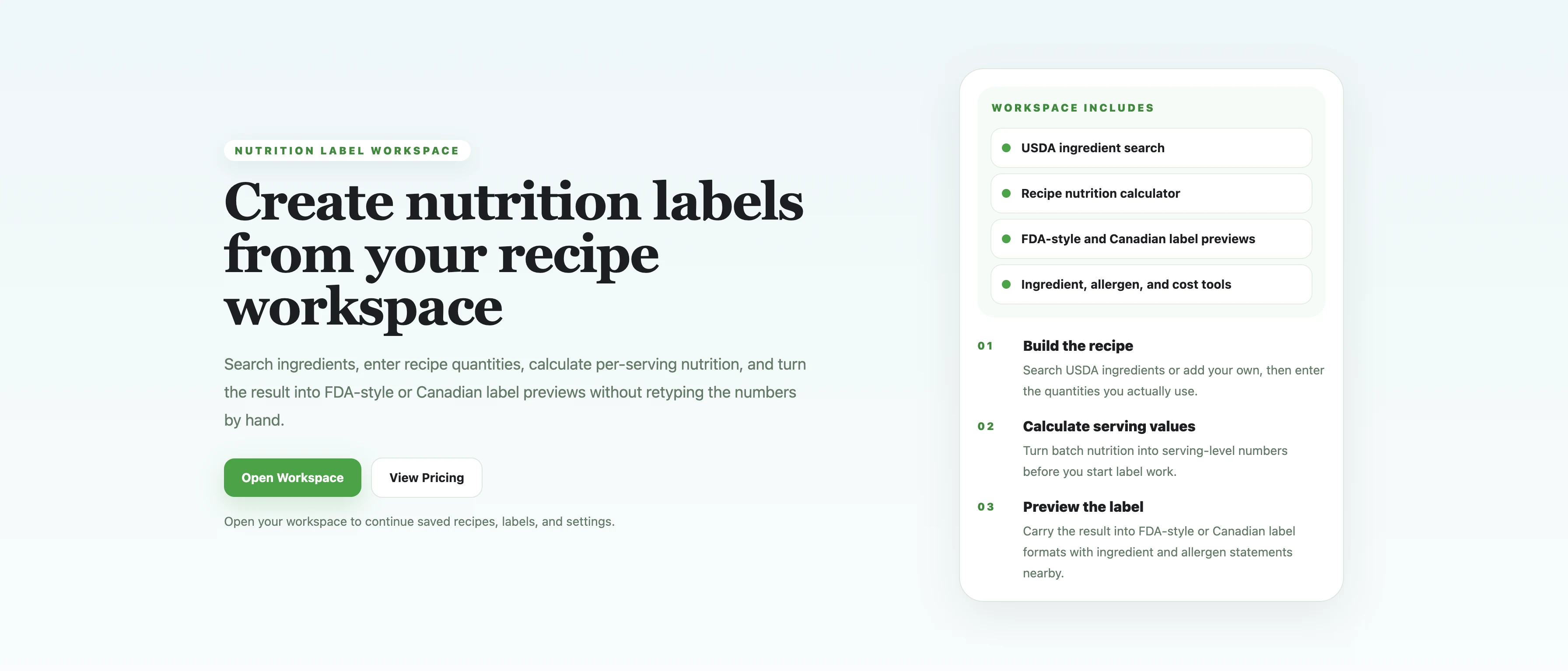
Context view
This overview keeps the ingredient statement article anchored in the larger workflow rather than presenting the statement as isolated packaging text.
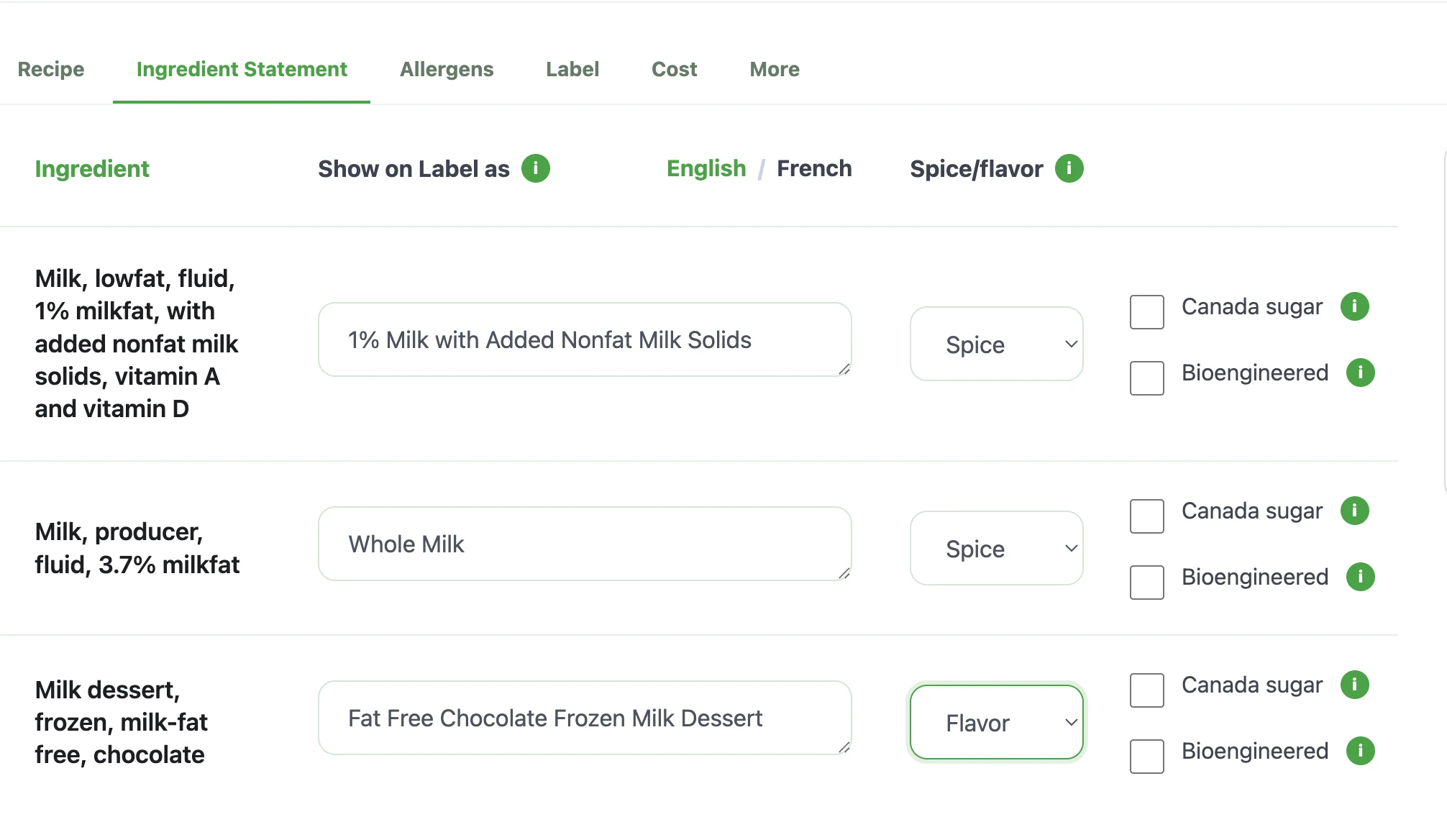
Focused crop: statement editor
This crop focuses on the statement drafting surface so the guide can talk about review-ready wording and nearby packaging context.
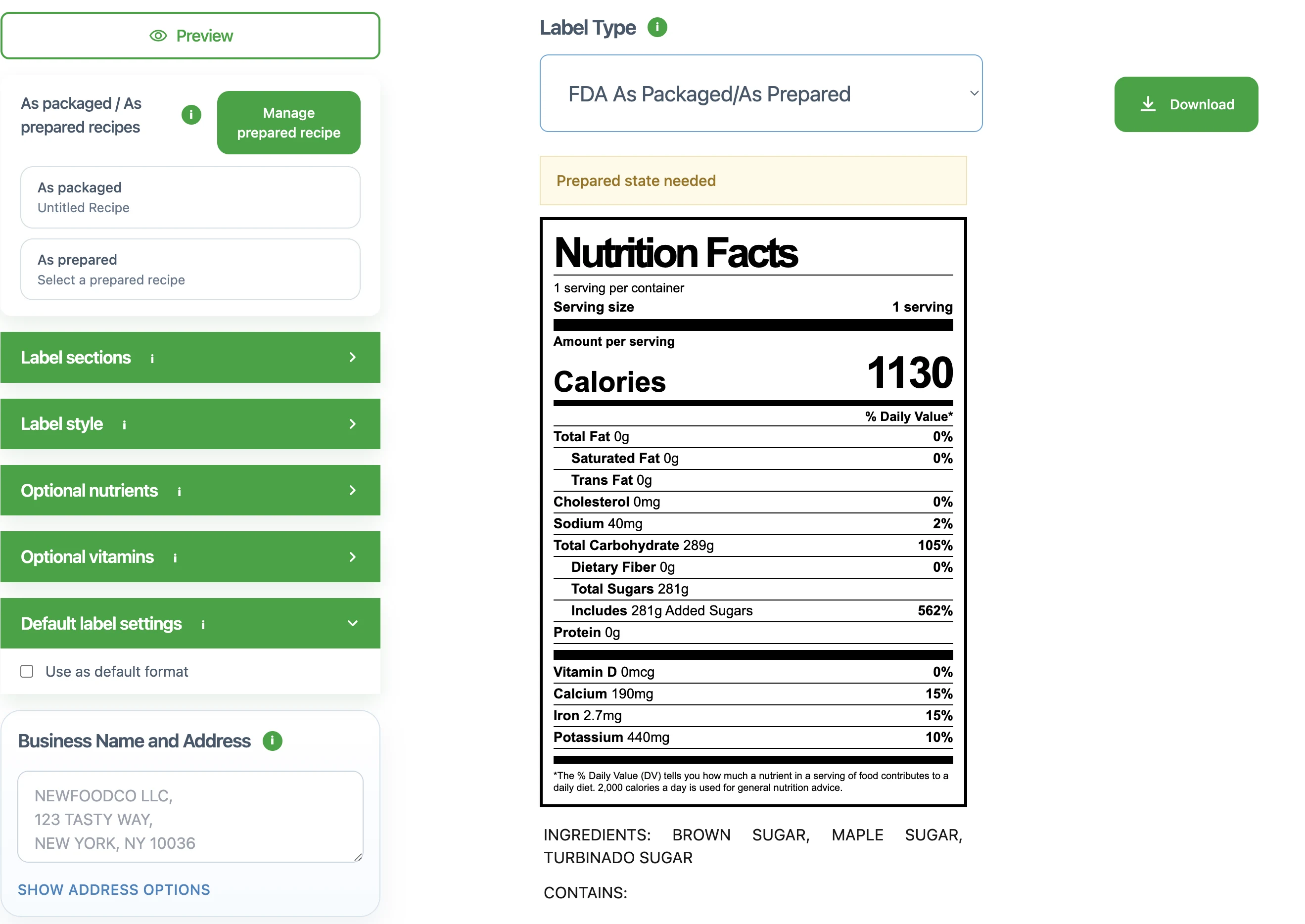
Focused crop: label context
This crop keeps the label and surrounding review context visible so the article can emphasize that statement review should stay tied to the broader packaging workflow.
Review the ingredient statement with the rest of the package
An ingredient statement should not be reviewed by itself. It works best when it is checked together with the Nutrition Facts panel, allergen statement, and nearby packaging copy that depend on the same recipe version.
That shared review frame helps teams catch cases where the panel looks current but the supporting text is still based on an older draft. It also makes later export review much simpler because the surrounding details have already been checked together.
- Review the statement beside the Nutrition Facts panel
- Check allergen wording against the same active recipe version
- Recheck nearby packaging copy after ingredient changes
Avoid the most common ingredient statement review mistakes
Most ingredient statement problems come from version drift rather than from the act of typing the sentence itself. Teams often update the recipe or the label panel, then assume the supporting statements will be corrected later.
A better workflow is to treat the ingredient statement as part of the same review package as the panel preview. When the preview, statement, and recipe all reflect the same version, packaging review becomes much more reliable.
- Do not assume the statement is current just because the panel was updated
- Do not review statement wording without checking nearby packaging text
- Do not leave ingredient statement cleanup until after final export review
Common mistakes
- • Building the statement from an outdated recipe snapshot or older packaging file
- • Mixing internal ingredient shorthand with customer-facing ingredient wording
- • Reviewing only the Nutrition Facts panel while the surrounding packaging text stays outdated
Review checklist
- • The statement is based on the active recipe version, not an older packaging draft
- • Ingredient naming is consistent across the statement and nearby packaging text
- • The statement is reviewed alongside allergen information and the Nutrition Facts panel
- • Supporting text is checked again after major recipe changes before export
FAQ
Should the ingredient statement come from the current recipe?
Yes. The active recipe version should be the source for the ingredient statement so the supporting packaging text stays aligned with the same ingredients being reviewed elsewhere.
Can I review the ingredient statement separately from the nutrition label?
You can draft it separately, but it is safer to review it together with the Nutrition Facts panel and the rest of the packaging text before export.
What should I check before exporting packaging text?
Check that the statement reflects the latest recipe version, that ingredient naming is consistent, and that the panel, allergen details, and nearby packaging copy have been reviewed together.
Why should ingredient statements be reviewed with allergen information?
Because both depend on the same underlying recipe details. Reviewing them together reduces the risk that one part of the packaging reflects a newer recipe version than the other.
Related guides
How to Calculate Nutrition From a Recipe
A practical guide for turning recipe ingredients, batch yield, and serving logic into per-serving nutrition values that are ready for label review.
How to Make a Nutrition Facts Label
A step-by-step guide for small food brands learning how to make a nutrition label and turn recipe data into a Nutrition Facts label preview.
FDA Nutrition Label Requirements: What Small Food Brands Should Review
A practical review guide for understanding FDA-style Nutrition Facts label structure, nutrition label requirements, and common mistakes.
How to Write an Allergen Statement
A practical guide for drafting an allergen statement that stays aligned with the current recipe, ingredient statement, and label review workflow.