
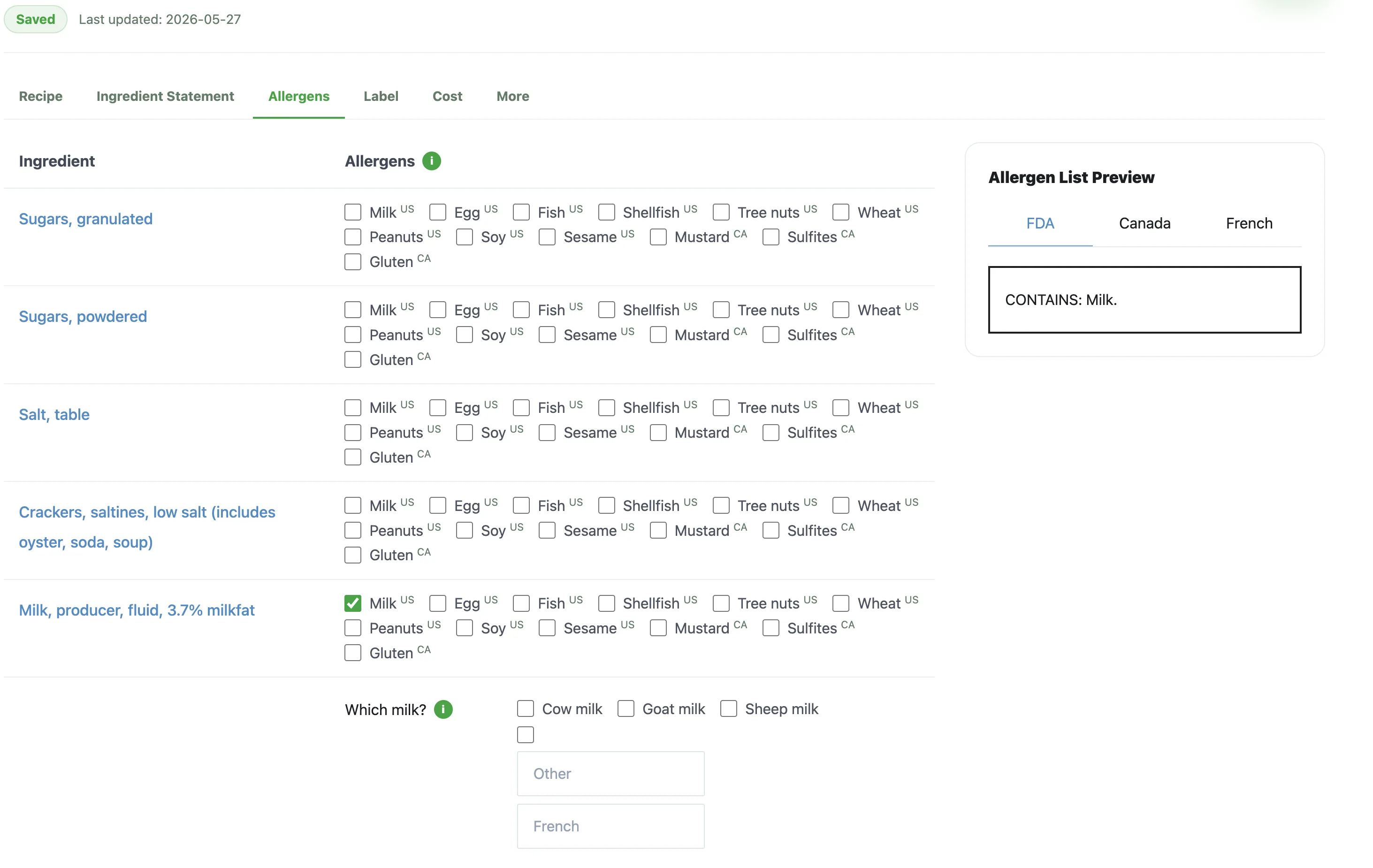
Key takeaway
A useful allergen statement starts with the active recipe, identifies relevant allergen sources, and is reviewed with the ingredient statement and label preview before export.
Start allergen review from the active recipe
If you are writing an allergen statement, begin with the recipe version that will actually be used for packaging review. Ingredient changes can alter allergen review, so the statement should not be copied from an older label, a previous formula, or a detached packaging note.
For FDA-regulated packaged foods in the United States, the major food allergen list includes milk, eggs, fish, crustacean shellfish, tree nuts, peanuts, wheat, soybeans, and sesame. Other markets use different rules, so the review should match the product and market you are preparing for.
- Review every ingredient and sub-ingredient in the current recipe
- Separate intentional ingredient allergens from cross-contact review
- Confirm which market's allergen rules apply before treating wording as final
Draft the statement beside the ingredient statement
The allergen statement and ingredient statement should be reviewed together because they usually depend on the same source ingredients. If one line reflects the current recipe and the other reflects an older version, packaging reviewers may miss the mismatch until late in the process.
A practical workflow is to draft the ingredient statement first, identify the allergen sources present in that statement, and then check whether the allergen line clearly matches the same recipe snapshot.
- Use the ingredient statement as a close comparison point
- Check allergen source names against the ingredients that trigger them
- Reopen allergen review whenever ingredient wording changes
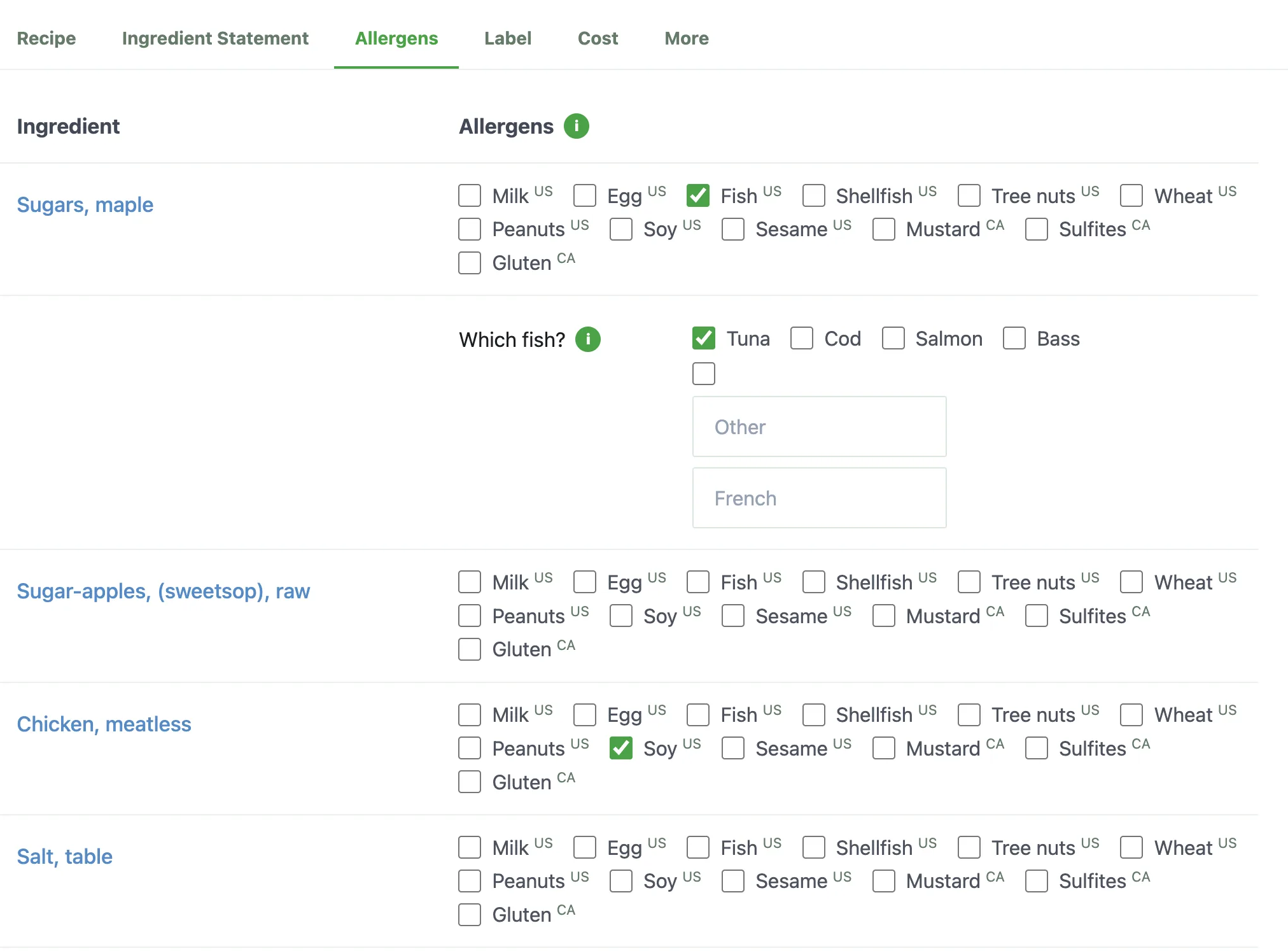
Focused view: allergen source
This detail view shows why allergen review should go beyond a flat checkbox list: some allergen groups need a specific source selected for clearer statement review.
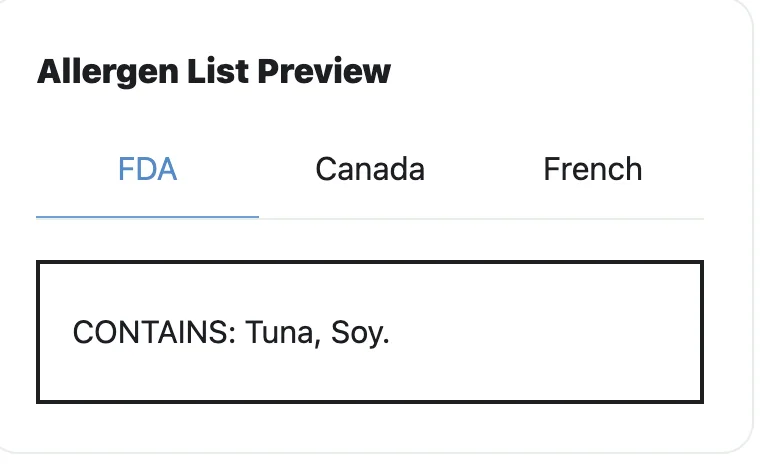
Preview: FDA statement
The FDA preview lets reviewers check the generated Contains line close to the ingredient-level allergen selections.
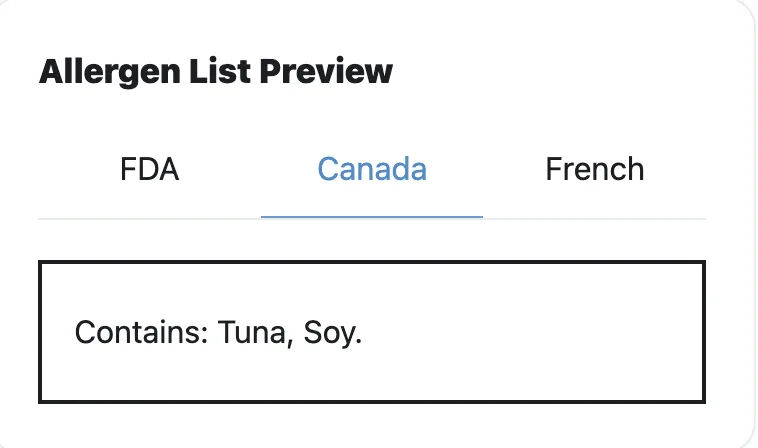
Preview: Canada statement
The Canada preview keeps market-specific statement review visible without leaving the allergen workflow.
Keep precautionary language separate from required declarations
Precautionary statements such as shared-facility or may-contain language are a different review question from declaring allergens that are intentionally present in the food. They should not be used as a shortcut for checking the recipe and ingredient statement.
When a team needs precautionary wording, it should be reviewed as its own packaging decision with manufacturing context, supplier details, and market-specific rules in mind.
- Do not let precautionary language replace ingredient-based allergen review
- Keep supplier and facility notes visible during review
- Have qualified reviewers check high-risk allergen wording before printing
Review the full package before export
Before exporting label files, compare the allergen statement, ingredient statement, Nutrition Facts panel, and any nearby packaging text against the same active recipe version. This final comparison helps catch wording that was missed after formulation or serving changes.
The goal is not to produce one isolated allergen sentence. The goal is to keep allergen review connected to the full packaging workflow so the final export does not contain mixed versions of the product story.
- Compare allergen details with the current recipe and ingredient statement
- Check nearby packaging text for outdated allergen references
- Treat recipe changes as a reason to rerun packaging statement review
Common mistakes
- • Copying allergen wording from an older package after the recipe has changed
- • Reviewing allergens separately from the ingredient statement that names the same sources
- • Treating precautionary or facility language as a substitute for reviewing intentional ingredients
Review checklist
- • The allergen review starts from the active recipe version
- • Major allergen sources are checked against every ingredient and sub-ingredient
- • The allergen statement is reviewed beside the ingredient statement
- • Any precautionary language is reviewed separately from intentional ingredient declarations
FAQ
Should I write the allergen statement before the ingredient statement?
You can collect allergen information early, but the statement should be reviewed beside the ingredient statement so both reflect the same recipe version.
What are the major food allergens in the United States?
FDA materials identify milk, eggs, fish, crustacean shellfish, tree nuts, peanuts, wheat, soybeans, and sesame as major food allergens for FDA-regulated packaged foods.
Is a may-contain statement enough for allergen review?
No. Precautionary language is separate from reviewing allergens that are intentionally present in the recipe. Ingredient-based allergen review still needs to be done.
When should I update an allergen statement?
Update or re-review it whenever the recipe, supplier ingredients, sub-ingredients, manufacturing context, or market requirements change.
Related guides
How to Write an Ingredient Statement
A practical guide for turning the active recipe into a review-ready ingredient statement that stays aligned with the label and surrounding packaging text.
FDA Nutrition Label Requirements: What Small Food Brands Should Review
A practical review guide for understanding FDA-style Nutrition Facts label structure, nutrition label requirements, and common mistakes.
How to Make a Nutrition Facts Label
A step-by-step guide for small food brands learning how to make a nutrition label and turn recipe data into a Nutrition Facts label preview.
Canadian Nutrition Facts Label Guide
A practical guide for reviewing Canadian Nutrition Facts table work alongside ingredient, allergen, and packaging statement details.